FREE APP · CBS SAIL TRACKER
Record every sail. Keep every mile.
Record your sail with the screen off, like a running app does for a run. Then add the track to your logbook in My sailing.
THREE WAYS TO RECORD
Pick the way that suits your phone.
Android
CBS Sail Tracker · Android
Our own app, downloaded from this page. It records with the screen off and sends the track when you are back in signal.
The signed Android app is launching soon.
Get notifiedNeeds Android 7 or newer.
iPhone
CBS Sail Tracker · iPhone
The iPhone app is on its way through Apple’s App Store. Today, record in a free iPhone app and add the GPX file to your logbook.
Your browser, now
Record in your browser now
Open the recorder on any phone, keep the page open and the screen on, and your track goes straight into your logbook.
INSIDE THE APP
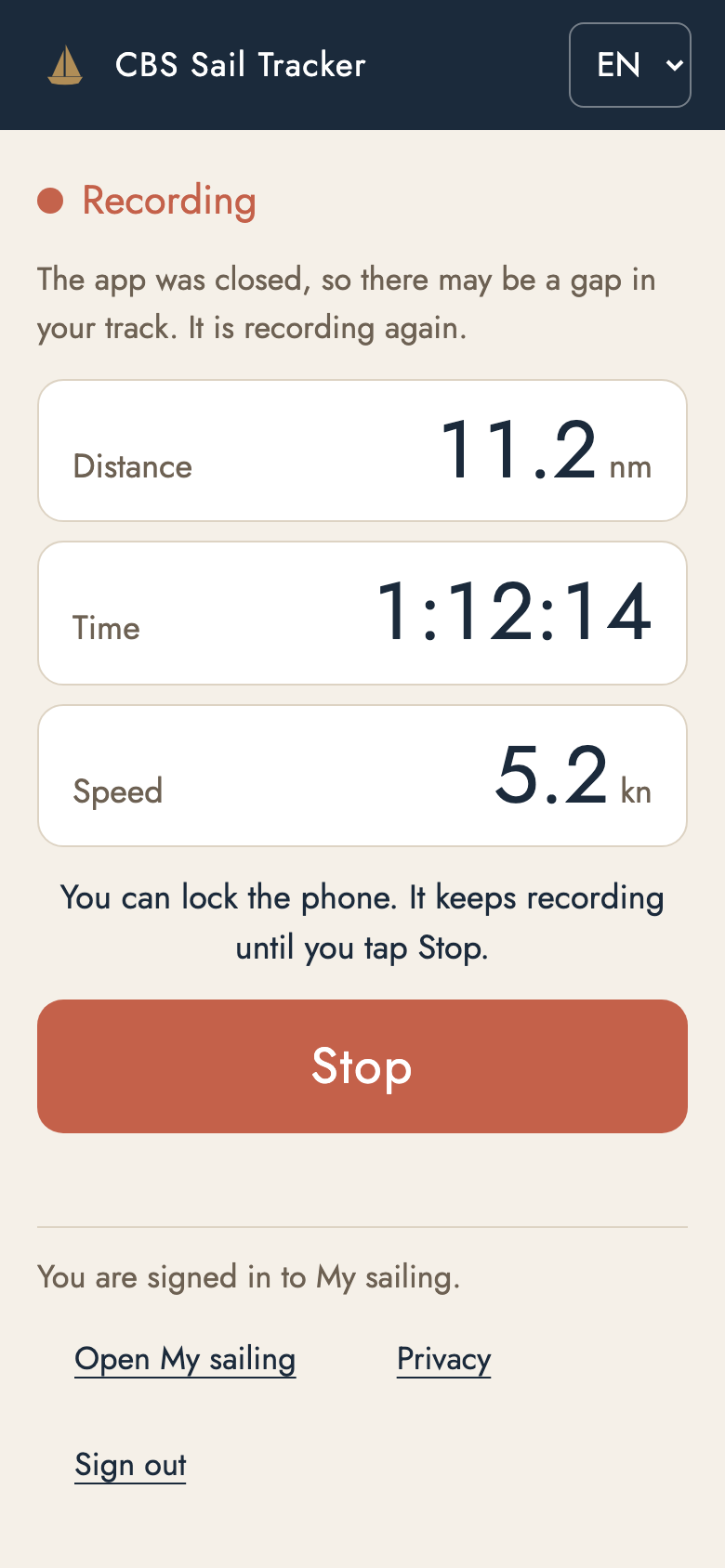
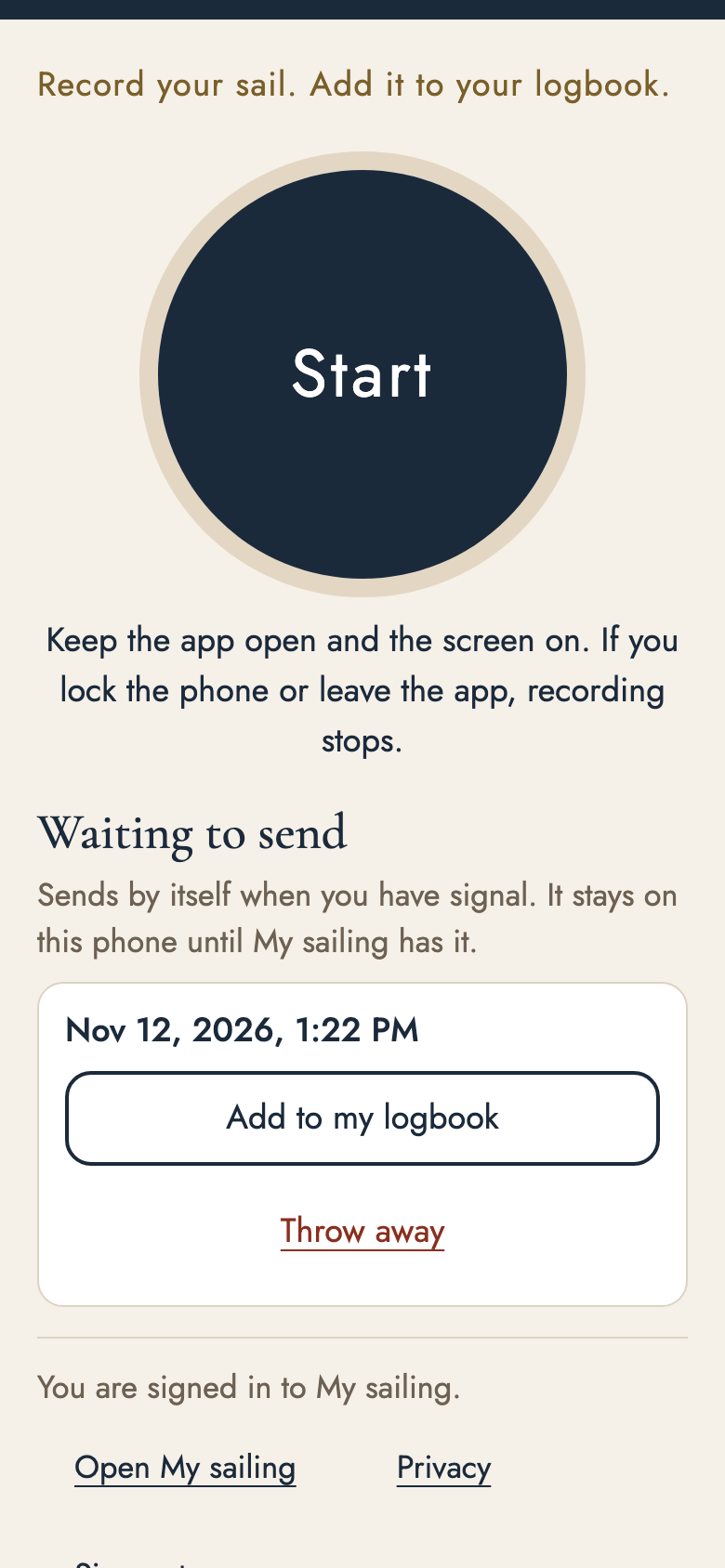
Three screens. That is the whole app.
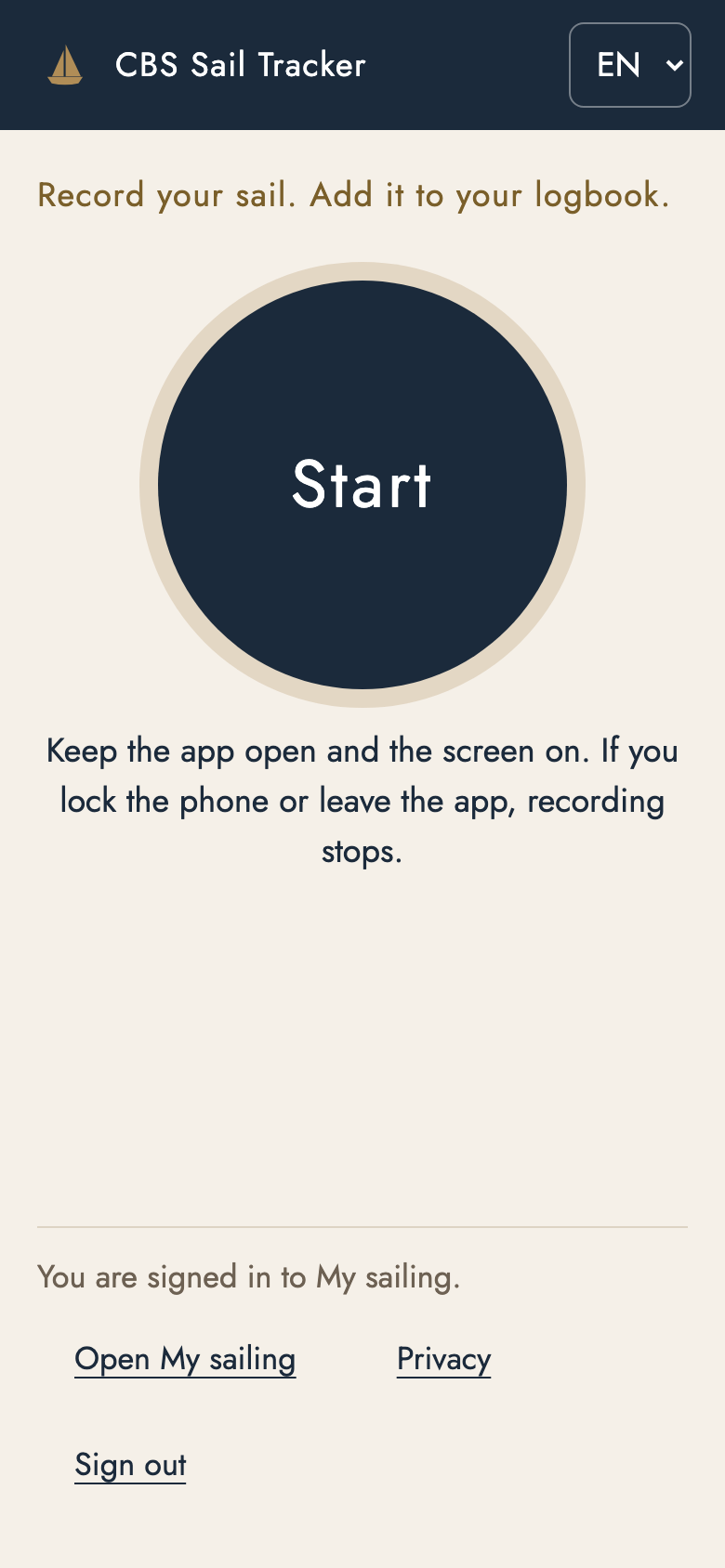
Ready
One big Start button.
Recording
Distance, time and speed, with the phone locked.
Saved
Your track, ready for your logbook.
A pretend demo: no sign-in, nothing is recorded or sent.
IPHONE
iPhone? Here’s how
1. Record on our website, with the screen on
Open My sailing in Safari and tap “Record my sail on this phone”. Keep the page open and the screen on. If you lock the phone or switch apps, recording may stop.
Open My sailingiPhone · App Store
2. Or record in a free iPhone app, then add the file
- Install Open GPX Tracker (below). It keeps recording with the screen off.
- Back on land, stop the recording. Share the track as a GPX file and choose “Save to Files”.
- In My sailing, go to “Add your sailing track”, choose that file and tap “Add this track”.
- Open GPX Tracker
Our first pick: completely free, no adverts, no in-app purchases.
Other free apps that work
- Strava
Free to download and to record. After the trip, open it on strava.com and choose “Export GPX”. You do not need a subscription.
- Navionics Boating
Only if you already use it: free to download, but charts and many extras need a paid subscription after a trial.
QUESTIONS
Good to know.
Is the app free?
Yes. No adverts, no in-app purchases and no subscription.
Does it work with no signal at sea?
Yes. It records without signal and sends the track when you are back in range.
Do I need the app to keep a logbook?
No. You can record in your phone’s browser, or add a GPX file from an app you already use.
Where do I download it?
Only from this page on costablancasailing.co.uk. It is our own app, made by Costa Blanca Sailing.
Your tracks are private
Only you and Costa Blanca Sailing can see your tracks, and you can delete one whenever you like. The first and last 300 metres are hidden.
This is our own app, made by Costa Blanca Sailing. Only download it from this page on costablancasailing.co.uk.

YOUR LOGBOOK
Every track lands in your logbook.
Free if you have sailed with us. For every other sailor, the CBS Digital Sea Logbook is €79 once, yours for life.